Most people have more recipes than they think. They're just not in one place. There are browser bookmarks in a folder called "Recipes" that hasn't been opened since 2022. Screenshots in the camera roll, between photos of receipts and a blurry dog. Cookbook pages photographed with the best intentions and never found again. Emails from family members with subject lines like "Mum's chicken thing." Bits of paper on the kitchen counter.
The problem isn't a shortage of recipes. It's that they're scattered across every surface and device, which means they're effectively inaccessible. You know you saved something for this, you just can't remember where. You end up falling back on the same five recipes you have memorised, not because they're the best ones in your collection, but because they're the only ones you can reliably find.
A recipe organizer app solves the scatter problem by giving every recipe a single home, one place that's searchable, available on your phone, and accessible whether or not you have an internet connection.
What a good recipe organizer actually does
The minimum a recipe organizer needs to do is store recipes in a way that makes them findable later. That means:
- Structured storage. The recipe is saved as title, ingredients (with quantities and units), and instructions, not as a screenshot or a link. Structured data is searchable, usable offline, and can be read by other parts of the app (like a grocery list generator).
- Fast import from any source. Recipes arrive from websites, cookbooks, messages, and handwritten cards. A good organizer handles all of them without requiring you to type out every ingredient.
- Search. As your library grows past a few dozen recipes, the ability to find what you want quickly, by name, ingredient, tag, or cuisine, is what separates a useful library from a digital pile.
- Offline access. You're often reading recipes somewhere with no signal, in a supermarket, in a kitchen with poor wifi, or on a device that's not connected. Recipes need to be available locally, not just in the cloud.
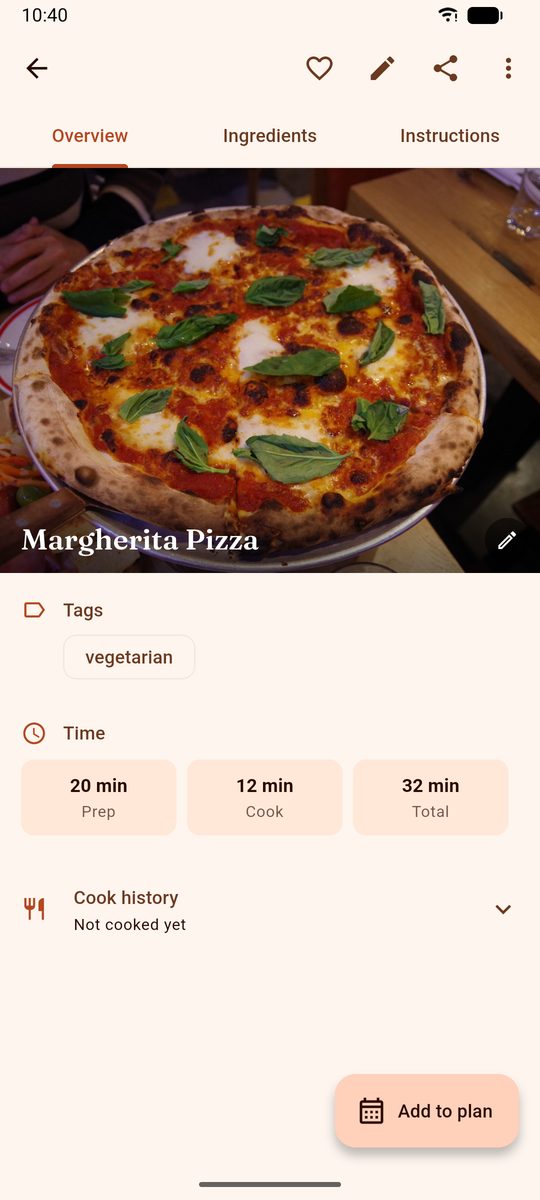
Most recipe apps meet these basics. The next level is connecting the organizer to the rest of the cooking workflow: the weekly plan and the grocery list.
Getting recipes in is the easy part. Finding them again is the job.
Any app can store a recipe. The difference between a library and a pile is whether you can put your hand on the right thing in ten seconds, on a Tuesday, with one hand, while something is already heating up. That is the part most recipe apps quietly fail at, and it only shows up once your collection passes about thirty recipes.
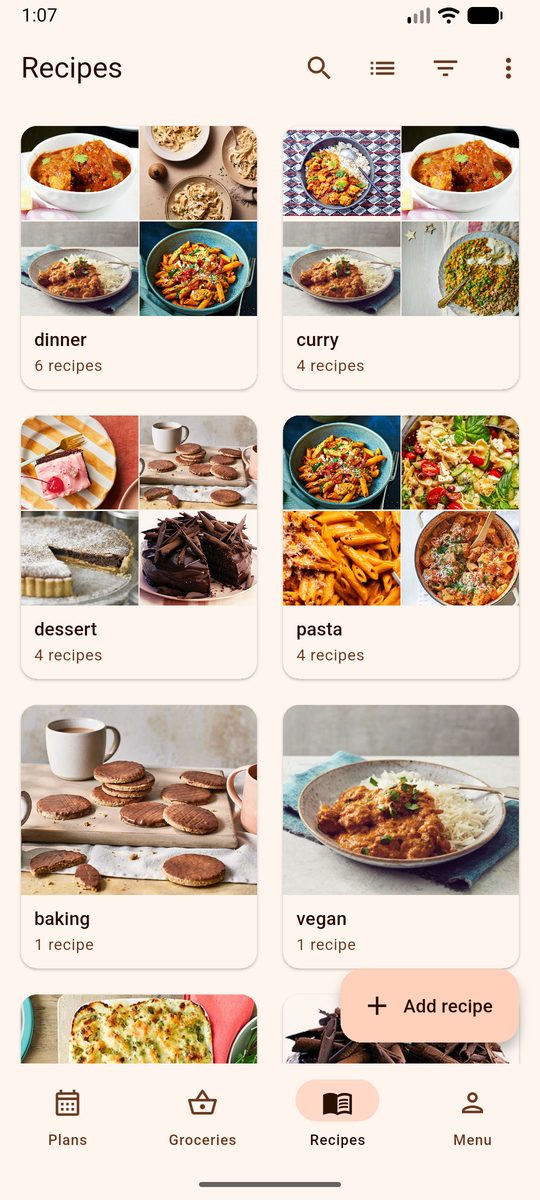
DinnerFlow gives you four ways to get back to a recipe. Search runs across titles and ingredients, so "what did I make with fennel" is a real question you can ask. Tags are yours to define, not a fixed taxonomy: most people end up with a handful like quick, vegetarian, kids will eat this. The library groups itself by tag, so opening the app shows you clusters rather than an undifferentiated scroll. And when nothing appeals, Surprise Me picks for you, filtered to whatever you're in the mood for.
Getting the recipes in there is covered separately, because it is a topic of its own: there are four routes in, including pasting a link and photographing a cookbook page. See the guide to importing recipes from websites, photos and books.
From library to plan to grocery list
Where most recipe organizers stop at storage, DinnerFlow connects the library to two things that turn it from a reference collection into a working meal planning system.
The meal planning calendar
Any recipe in your library can be assigned to a day on the weekly meal planning calendar. You're not searching for dinner ideas at 6pm. You're choosing from recipes you already know you like, on a Sunday when you have time and energy. The week ahead is planned in one sitting; the daily decision disappears.
The automatic grocery list
Once your week is planned, DinnerFlow generates a grocery list from every recipe on the calendar in one tap. It reads each recipe's ingredient list, combines duplicates across recipes, converts units automatically, and sorts everything by supermarket aisle. The grocery list writes itself from the recipes you saved, which is the point of structuring the data properly at import.
The connection runs in both directions: if you change a recipe in your library (adjust an ingredient, update a quantity based on how you actually made it), the change flows through to any future grocery list generated from that recipe. Your library is a live system, not a static archive.
Common questions, answered.
What is the best app to organize recipes?
The best recipe organizer stores recipes from any source (websites, cookbooks, handwritten cards), makes them searchable offline, and connects them to your meal planning. DinnerFlow does all three: import from any URL, photograph a cookbook page for AI extraction, or paste text, everything goes into one searchable library available offline, connected to a weekly dinner calendar and grocery list.
Can I save recipes from any website?
Yes. DinnerFlow accepts URLs from most cooking websites and food blogs. Paste the URL and the app automatically extracts the recipe title, ingredient list, and instructions. For sites that don't support URL import, copy the recipe text and paste it directly into the app instead.
How is DinnerFlow different from just bookmarking recipes?
A browser bookmark saves a link; DinnerFlow saves the recipe itself, title, full ingredient list with quantities, and step-by-step instructions, as structured data. Bookmarks break when websites go down. They're not searchable by ingredient, not available offline, and not connected to anything else. DinnerFlow stores the recipe content, keeps it available without internet, and connects it to your meal plan and grocery list.
Can I scan cookbook recipes into the app?
Yes. DinnerFlow uses Gemini AI to extract recipes from photos, photograph a cookbook page, printed recipe card, or handwritten note, and the app pulls out the title, ingredient list, and instructions as structured, editable text. The only practical way to digitize a physical recipe collection without retyping everything.
How many recipes can I store for free?
Up to 50, which is comfortably more than the rotation most households actually cook from, plus room for a stack of new things to try. If you collect beyond that, DinnerFlow Pro lifts the limit. Everything else in the free tier stays free: the weekly calendar, the grocery list, and all four ways of getting a recipe in.
Does the recipe organizer work offline?
Yes. DinnerFlow uses a local-first architecture, your recipe library is stored on your device and always available even without an internet connection. You shouldn't need wifi to read a recipe you saved a week ago.
Can my partner or family use the same recipe library?
Yes. DinnerFlow supports household sharing: create a household, invite members with a single code, and everyone shares the same recipe library in real time. Any recipe added by one member appears in everyone's library immediately. Only the household creator needs DinnerFlow Pro, joining is always free.
How DinnerFlow organizes and connects your recipes.
DinnerFlow is a free recipe organizer and meal planner for Android, built around the idea that a recipe library is most useful when it's connected to the rest of the cooking workflow:
One library. Every source. Connected to your week.
Import recipes from any website, cookbook, or text. Search your whole collection. Plan the week from your library. Generate a grocery list from every planned recipe in one tap.
- URL import, paste any recipe link; title, ingredients, and instructions extracted automatically.
- AI photo import, photograph a cookbook page; Gemini AI extracts the full recipe.
- Text paste & manual entry, for recipes from any source without a URL.
- Offline access, local-first architecture; your library is always available.
- Household sharing, one shared library synced in real time across all household members.
- Meal plan integration, assign recipes to days; generate a complete grocery list in one tap.